Connect Kaufland store
Connect Kaufland store
Add your API credentials from Seller Portal API settings to import orders and create invoices. You can add up to 3 stores. Read the Kaufland API documentation.
Store name | API key | Secret key | Created at | Last used at | API key health | Action |
|---|---|---|---|---|---|---|
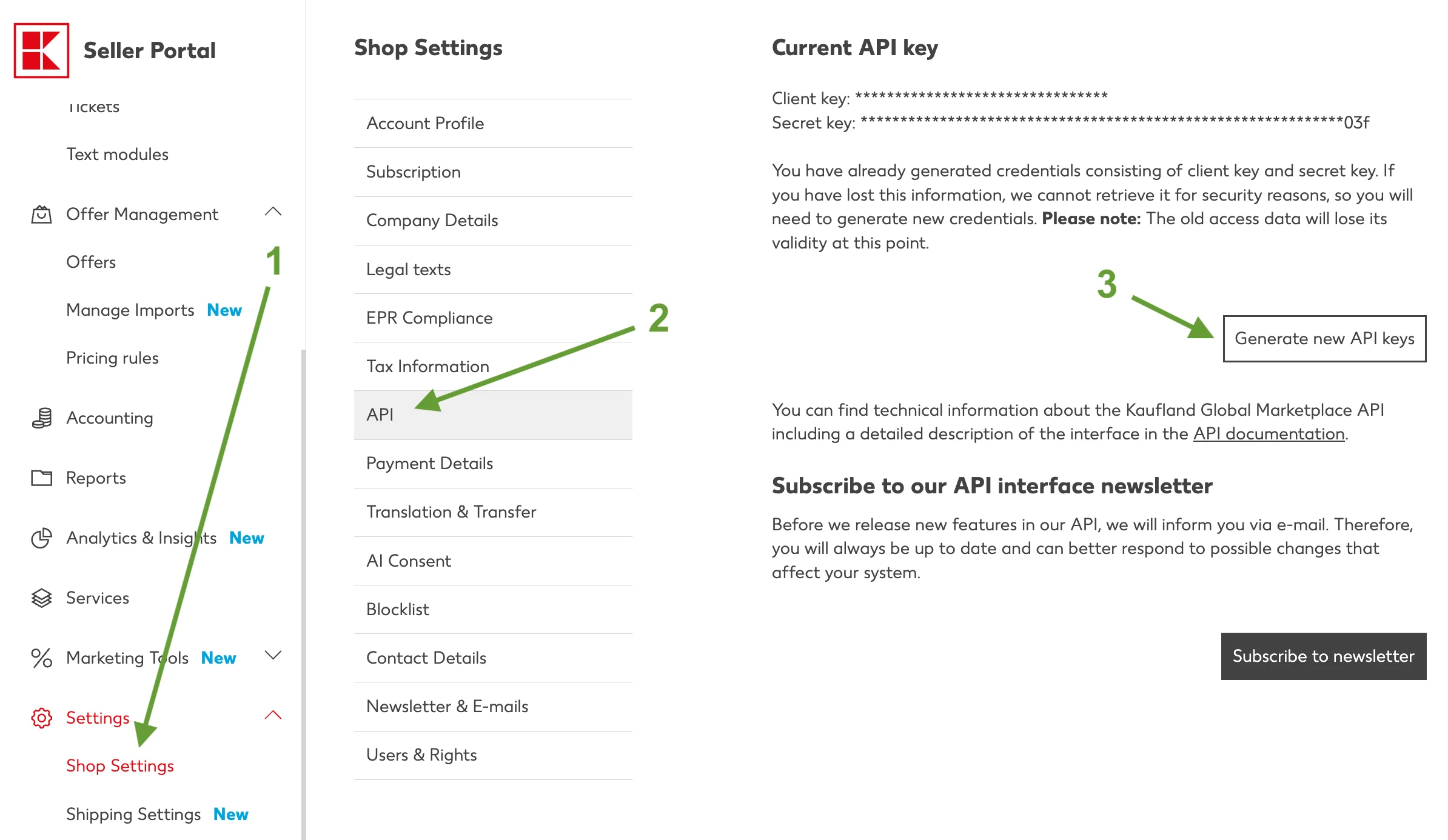
How to find your API keys
Follow these steps in Seller Portal, then paste your keys in the form above.
- 1. Open sellerportal.kaufland.de and sign in.
- 2. In the left menu, go to Shop Settings.
- 3. Open the API tab.
- 4. Click Generate new API keys.
- 5. Copy the API key and secret key, then add them in the form.